

This article will summarize how to connect and save any supported device to Streamlux. For more detailed information and per-brand guides go here.
One of the primary goals when creating Streamlux was to make connecting to devices as easy as possible. That’s why we’ve created a simply 3-step process for connecting any supported device.
Step 1: Select brand
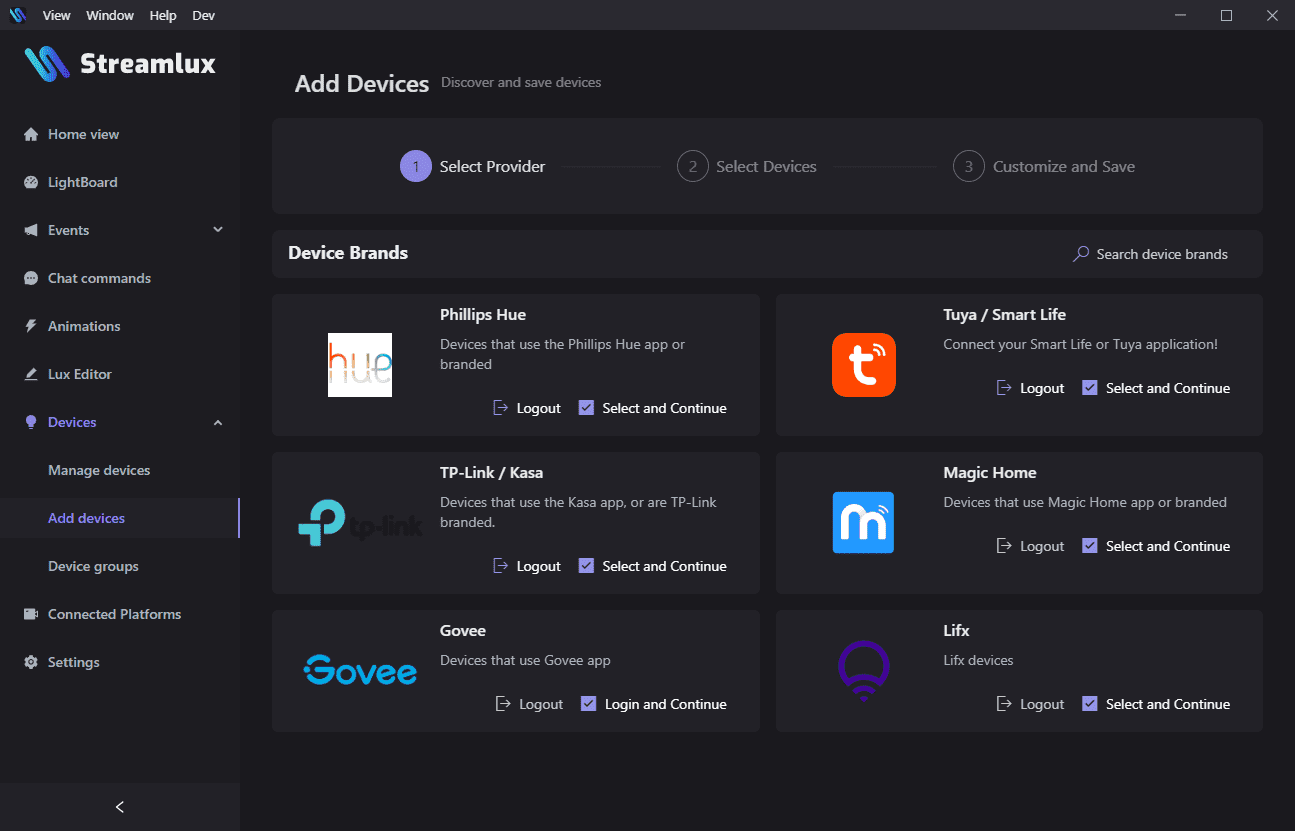
Click “Select and Continue” for the brand or type of device you have. Some device brands require additional setup like logging in before Streamlux can discover your devices.
Step 2: Select devices
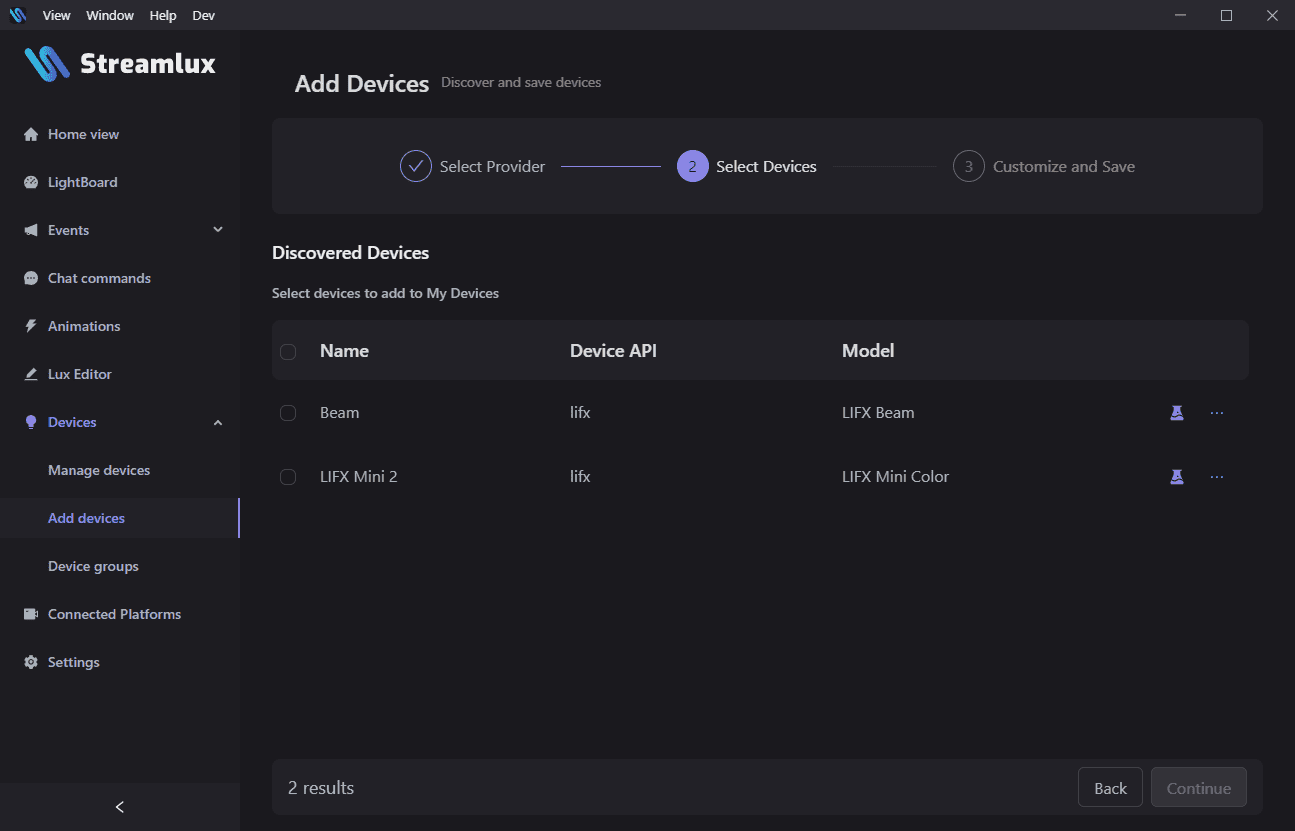
Step 2 lists all of the devices Streamlux could find. Select the devices you want to save using the checkbox to the left of each device name.
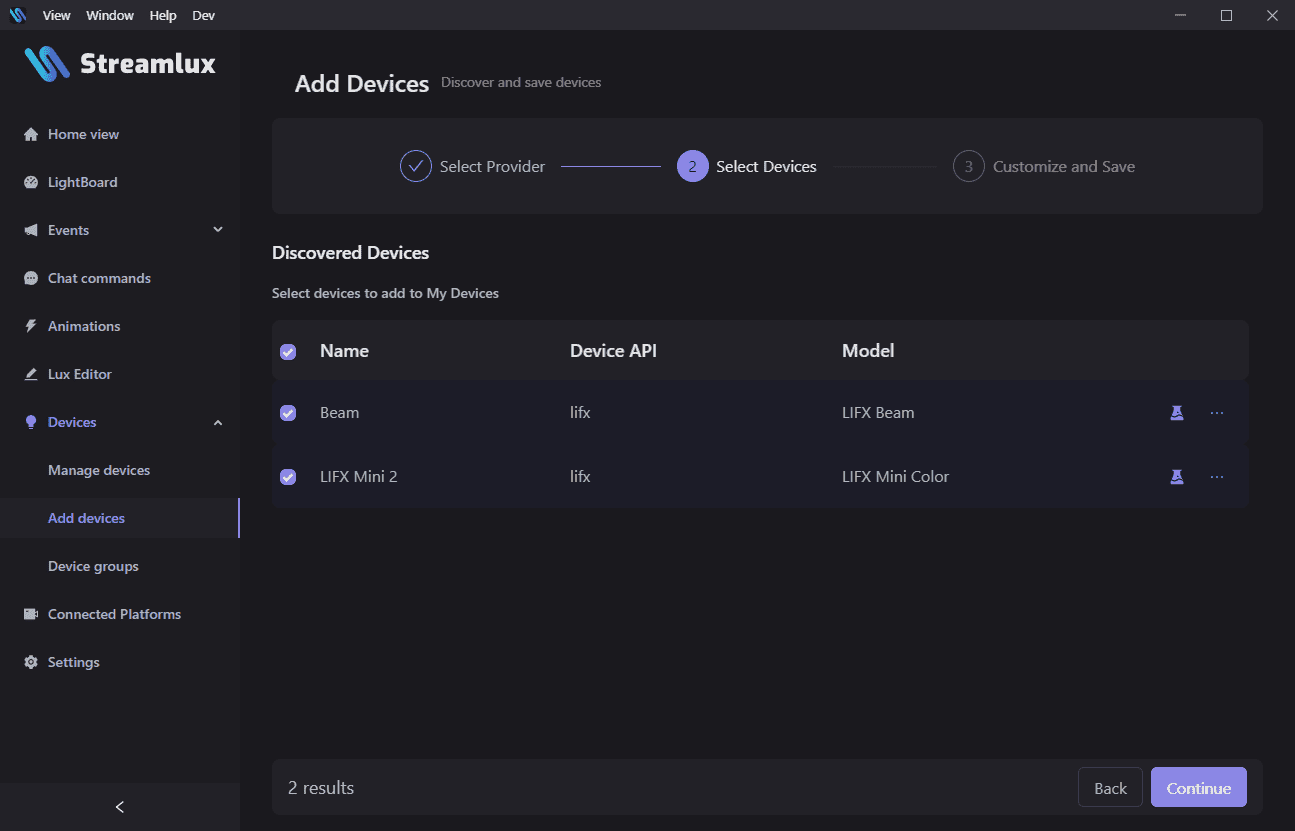
Step 3: Customize device names
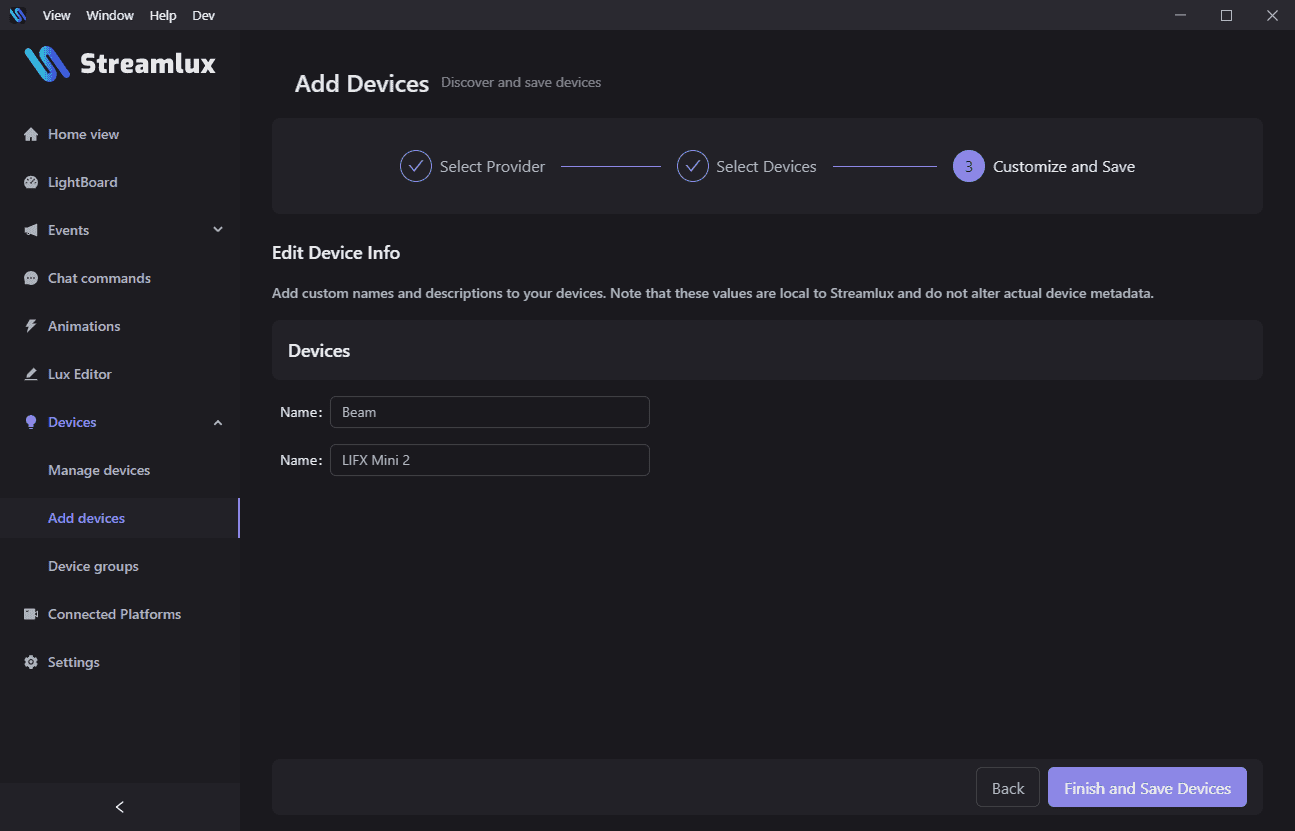
Step 3 allows you to customize the device names, and is completely optional.
Hit the “Finish and Save Devices” button to finish adding your devices. You can repeat this process for as many device types/brands as you need.